Know which tool to use and when.
TEACHING REIMAGINED WITH AI · LUMIO WORKSHOP
Teaching reimagined with AI.
Your workshop, your tools, your next step. Learn how to plan smarter, teach creatively and lead confidently with AI.
✧ Teachers◈ Academic leaders⌁ Practical AI

✦
Lesson plan40-minute science class
✓▦
Learning activitiesDifferentiate & engage
✓◎
Academic reviewReflect & improve
✓PLAN → TEACH → IMPROVE
TEACHING REIMAGINED WITH AI
Better teaching begins with better tools.
Designed for educators and students who want practical, responsible AI skills. Explore lesson planning, classroom resources, assessments, research and academic leadership using guided examples.
Login / Sign up →Your handbook is available through your participant account after feedback submission.
YOUR LEARNING JOURNEY
Everything you need after the workshop
A practical, organized resource designed for busy educators.
Follow simple, repeatable workflows.
Copy, personalize and put them to work.
Turn learning into a sustainable habit.
A PURPOSEFUL LEARNING EXPERIENCE
From AI curiosity to confident classroom practice.
This workshop is designed around real educator workflows—not a catalogue of AI tools. Each session connects a practical teaching challenge to a repeatable method and a tangible outcome.
Prepare with purpose
Translate curriculum expectations into measurable learning outcomes, structured lesson plans, differentiated activities and accessible teaching resources.
Design engaging experiences
Develop examples, visual explanations, knowledge checks and age-appropriate activities. Use AI as a draft partner while maintaining teacher judgement.
Evaluate and improve
Review generated content for accuracy, curriculum fit, bias, privacy and accessibility. Build a reusable workflow rather than starting from scratch each week.
WORKSHOP LEARNING OUTCOMES
What participants will be able to do
Build a personal AI teaching workflow, write structured prompts, adapt material for different learning needs and evaluate AI-generated content responsibly.
01 Create an organised AI workspace for a subject or grade.
02 Draft and refine a lesson with measurable outcomes.
03 Generate an assessment and check its quality.
04 Use evidence and source material more confidently.
05 Apply privacy, accuracy and safeguarding checks.
A HANDBOOK YOU CAN KEEP USING
Templates, examples and guided practice.
After sharing workshop feedback, download the illustrated Lumio handbook with structured prompt templates, classroom examples, tool-selection guidance and a seven-day action plan.
Access your workshop dashboard →YOUR LUMIO WORKSHOP ACCOUNT
Sign in. Learn. Grow.
Create an account using your official name and institution. Your workshop dashboard provides feedback and handbook access.
✓ Illustrated AI tool guides✓ Downloadable PDF handbook✓ Workshop feedback and resource access
Welcome, !
·
Your handbook is unlocked. Complete your workshop feedback to enable your participation certificate.
Open handbook →START HERE
Share your workshop feedback.
Complete this short feedback form after your workshop to enable your participation certificate. Your feedback helps Lumio improve future programmes.
🔒 Your responses are stored privately for Lumio's workshop administration.
“AI is your assistant, not your replacement. Your expertise remains essential.”
WORKSHOP FEEDBACKAbout 2 minutes
✓
Thank you for sharing!
Your feedback has been saved. Your participation certificate is now available from your account.
Go to certificate →✧
Your learning companion awaits
Create a participant account to access your handbook and resources.
Sign up or log in ↑THE LUMIO PLAYBOOK
Make AI work for you.
Practical guides and resources to revisit whenever you need them.
Download handbook PDF ↓
2026 WORKSHOP EDITION
Welcome to your AI teaching companion
Teaching is more than delivering lessons. You plan, create resources, assess learning, communicate and support students. AI can help with repetitive tasks, leaving more time for thoughtful teaching.
The important shift
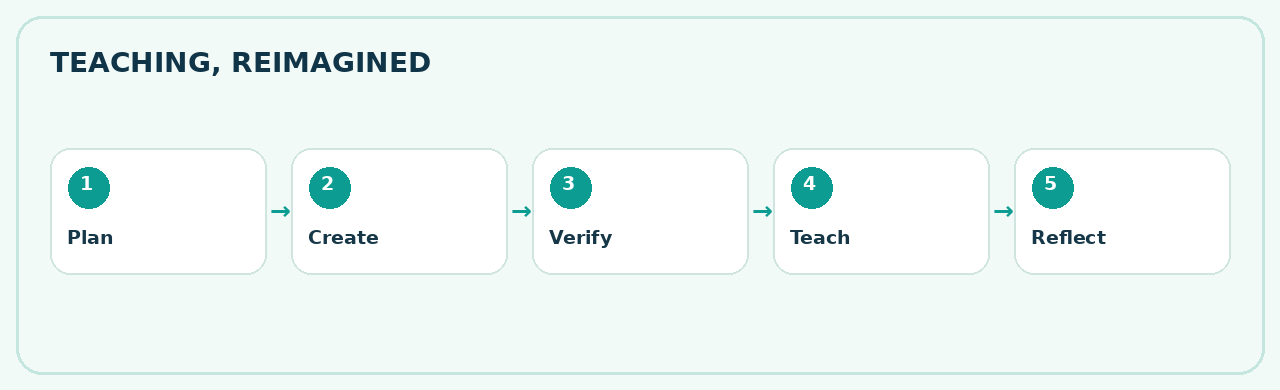
Move from asking occasional AI questions to building an organized, reliable teaching workflow: Plan → Create → Verify → Teach → Reflect → Improve.
✓ Organized workspaces✓ Better lessons✓ Differentiated resources✓ Source-based learning✓ Academic leadership
Meet your AI toolkit
You don't need to master every platform. Start with the ones that solve your biggest everyday challenges.
Tool features, access and pricing can change. TeachYai is awaiting confirmation of the exact official platform URL.
ChatGPT: Your organized teaching workspace
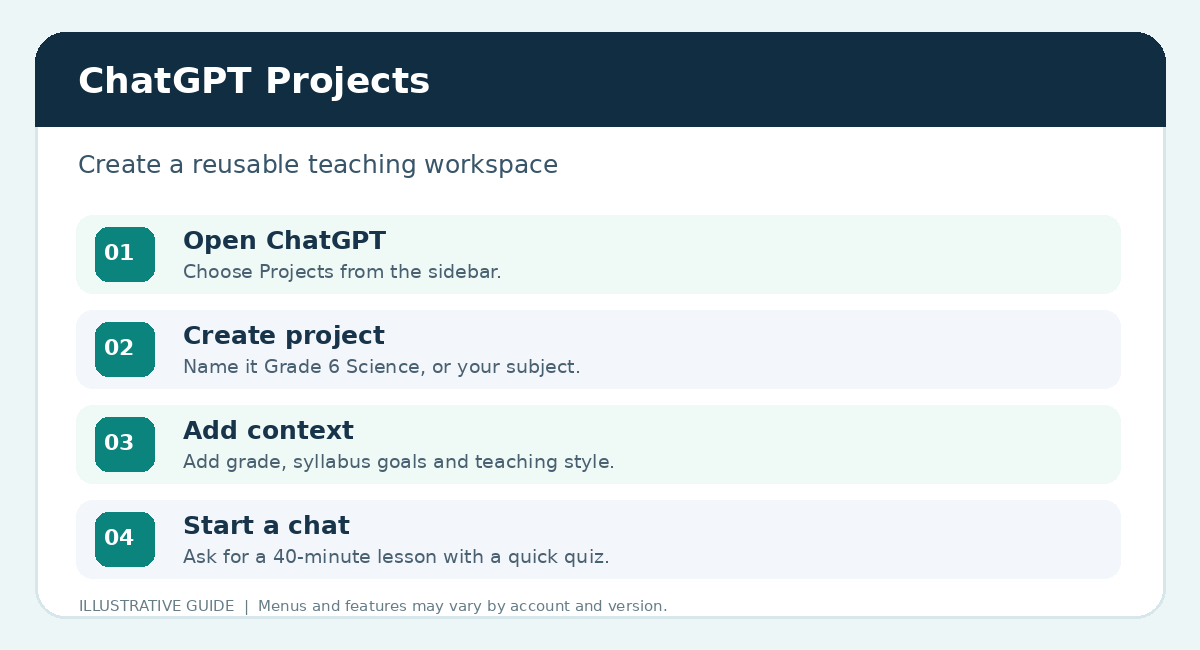
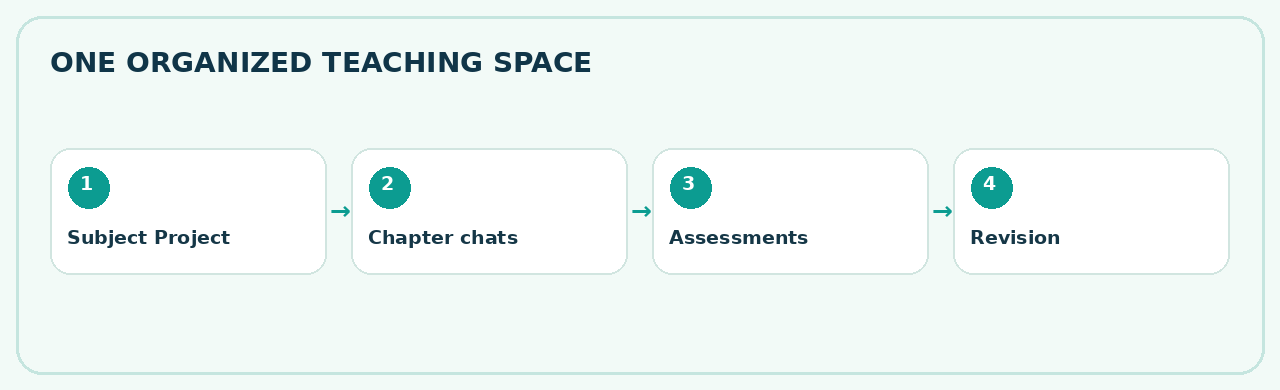
Create one Project per grade, subject and academic year, such as Science | Grade 6 | 2026–27. Use it to keep reusable instructions, approved references and clearly named conversations together.
01
Sign in at chatgpt.com ↗.
02
Create a Project from the Projects area, if available on your account.
03
Name it clearly using subject, grade and year.
04
Add instructions covering curriculum, learner age and output expectations.
05
Upload approved references such as syllabus extracts and teaching templates.
06
Use named chats for chapters, assessments, revision and presentations.
◈ SCIENCE · GRADE 6 · 2026–27
00 · Academic planning01 · Chapter 102 · Assessments03 · Presentations04 · Revision05 · Division notes
These are named chats inside a Project, not nested folders.Starter Project instruction
You are my Grade 6 Science teaching assistant for an Indian school. Follow the syllabus and approved references I provide. Prepare accurate, age-appropriate lessons, activities, differentiation and assessments. Ask for missing information. Do not invent textbook references or school dates. I will review all outputs before classroom use.
Gemini: Explain, explore, engage
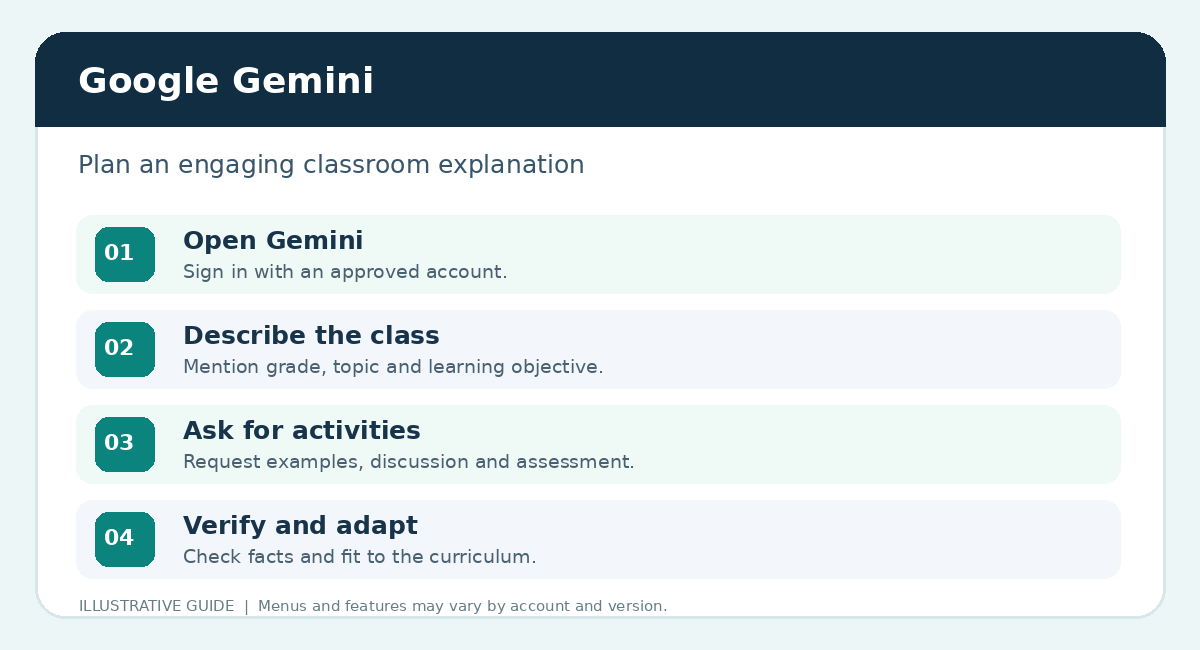
Use Gemini ↗ to brainstorm alternative explanations, stories, everyday examples, classroom activities and quick checks for understanding.
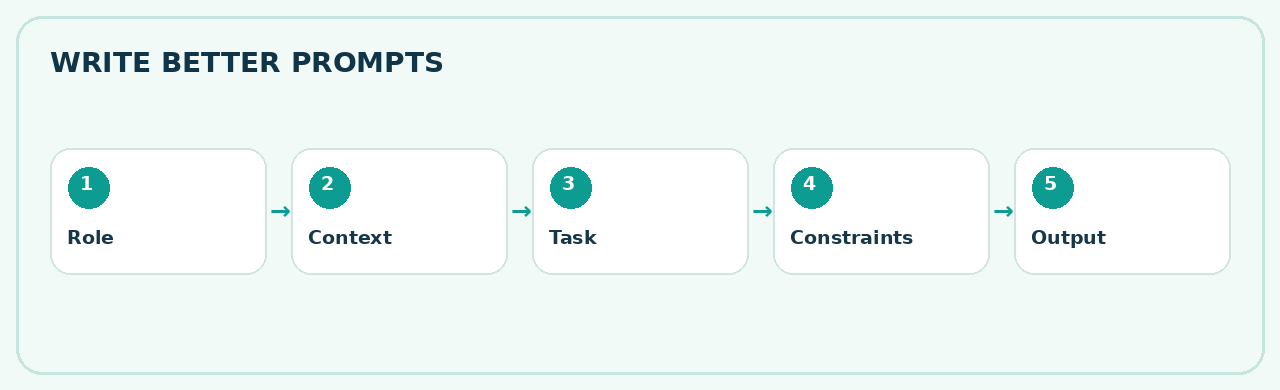
ROLE→CONTEXT→TASK→CONSTRAINTS→OUTPUT
Try this in Gemini
Explain evaporation to Grade 6 students using a familiar everyday example. Suggest one safe classroom activity, three discussion questions and a five-minute assessment. Keep the explanation scientifically accurate.
Teacher tip
Compare the result with the prescribed syllabus. Keep the examples familiar and check the scientific facts.
MagicSchool & TeachYai: Create classroom resources
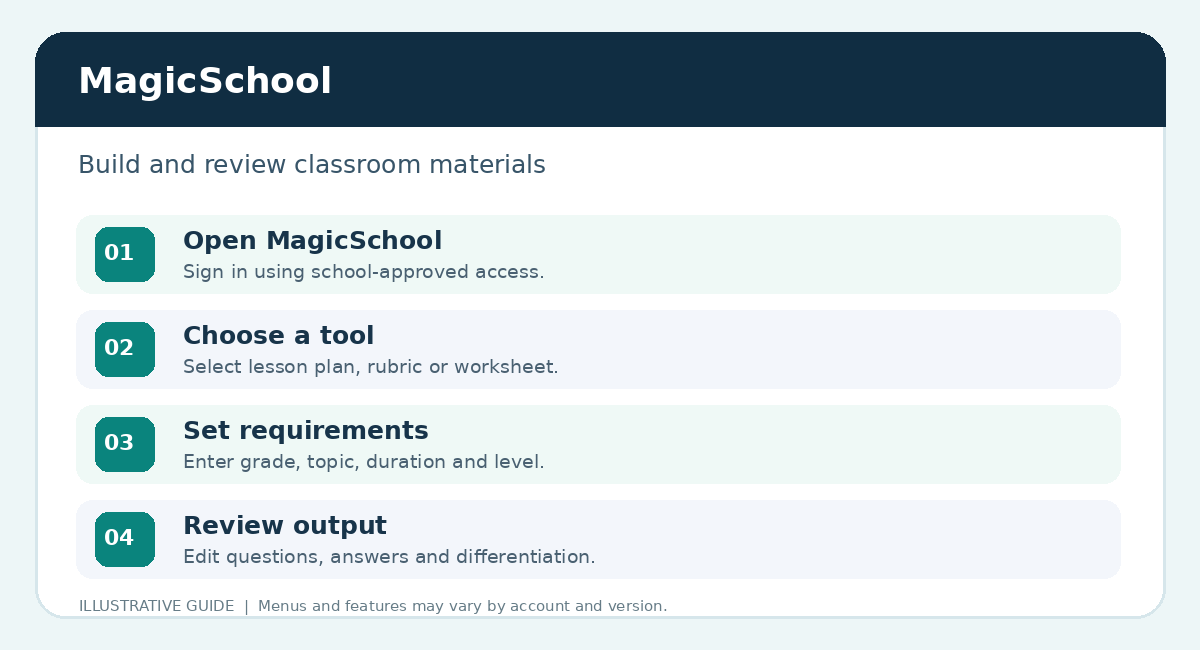
MagicSchool ↗ offers education-focused workflows for lesson plans, worksheets, quizzes, rubrics, differentiation and communication. The exact TeachYai product will be added after verification.
Lesson plans
Objectives, timing and activities
Worksheets
Practice at multiple levels
Assessments
MCQs, short answers, rubrics
Differentiation
Support different learning needs
Practice challenge · Grade 6 Science
Using an approved syllabus topic such as separation of mixtures, create a 40-minute lesson, ten-question worksheet, five MCQs, two differentiated activities and an answer key. Review accuracy, timing and suitability before using.
NotebookLM: Learn from trusted sources
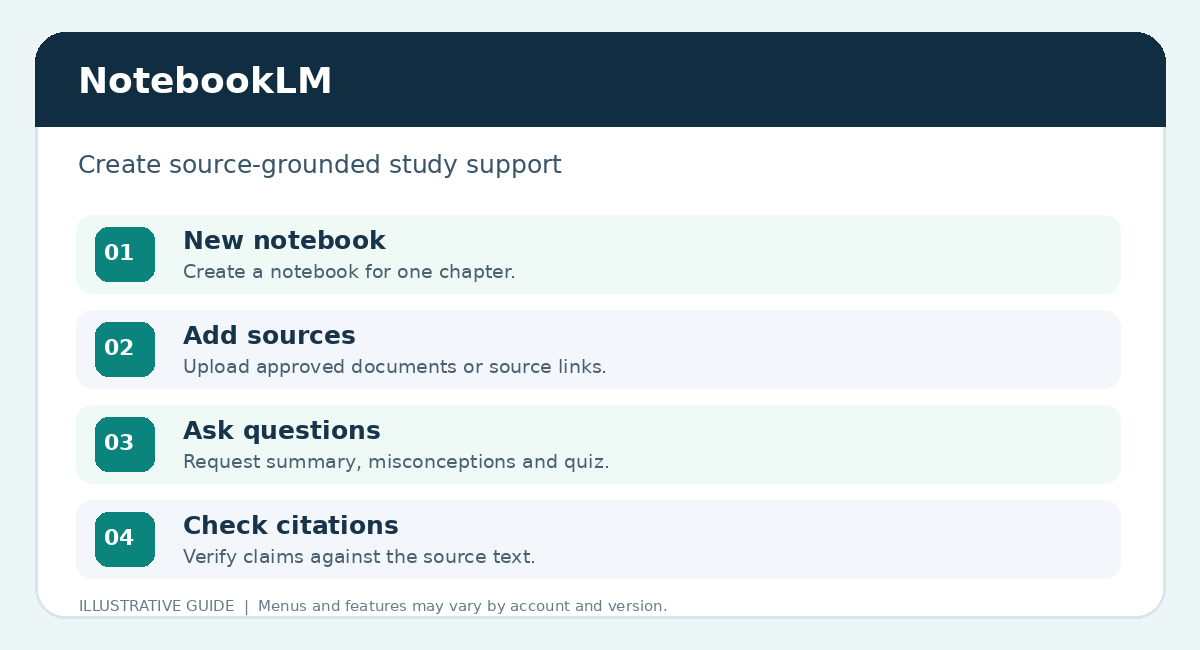
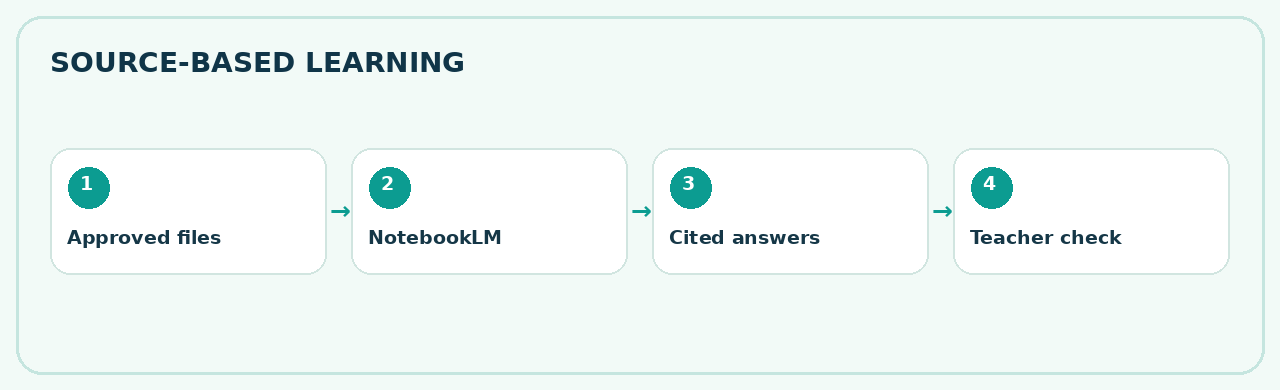
NotebookLM ↗ helps explore documents and supported sources you provide. Use it to prepare summaries, questions and study materials, then check its citations against the original source.
▤Approved sourceSyllabus / chapter extract
→◈NotebookLMAsk focused questions
→✓Teacher reviewCheck cited passages
01
Create a new notebook.
02
Add an approved source.
03
Ask for key concepts and misconceptions.
04
Open and verify source citations.
05
Explore available study resources or Audio Overviews and review before sharing.
Source-based prompt
Using only the sources in this notebook, identify the five most important concepts in this chapter, three common misconceptions and eight oral revision questions. Include citations to supporting passages.
FlintK12: Guide student thinking
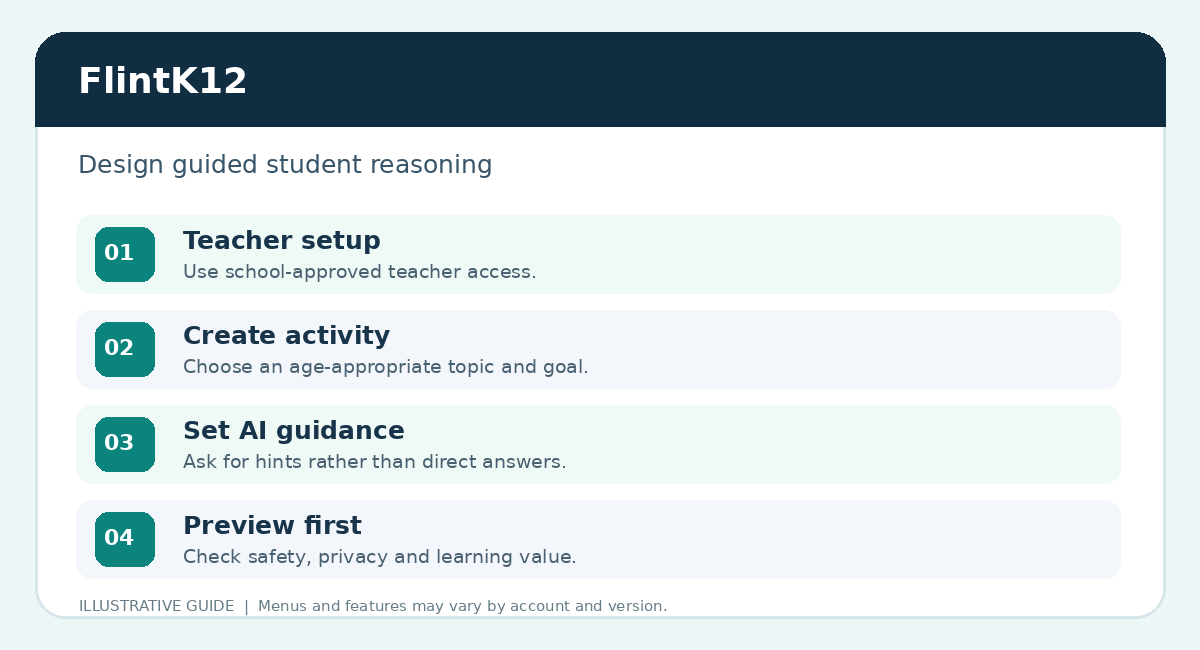
FlintK12 ↗ supports teacher-configured AI learning experiences. Design activities that encourage reasoning rather than simply revealing answers.
?
→Student reasoning
→Hint
→Reflection ✓
Science Investigator activity
Guide Grade 6 students through choosing methods for separating mixtures. Ask one question at a time. Encourage explanations before giving answers. Offer age-appropriate hints, then conclude with a short understanding check.
Preview every activity. Confirm school permissions, student age suitability, supervision and privacy before use.
Three more tools worth knowing
Claude · Writing and clarity
Refine professional circulars, explanations and long documents.
Explore Claude ↗“Rewrite this school circular in friendly, professional English. Do not invent dates or details.”
Perplexity · Research with sources
Explore research, source links and recent developments. Always verify the underlying references.
Explore Perplexity ↗“Find reliable research on formative assessment in middle school, with publication dates and limitations.”
Google Lens · Visual discovery
Use an image or camera to search, extract printed text or translate. Check visual identifications.
Explore Google Lens ↗Try scanning a printed Science diagram or a plant for further investigation.
Your copy-ready prompt library
Choose a prompt, replace the [bracketed details] and use it in an approved AI platform. Review the output before classroom use.
AI for principals & academic coordinators
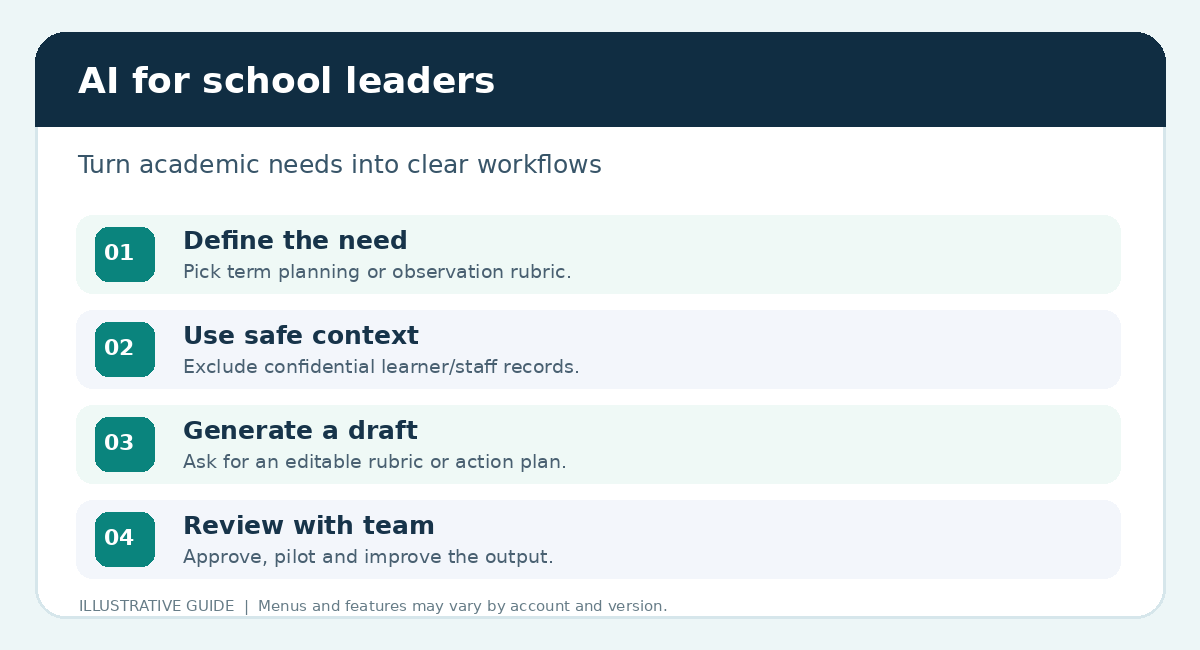
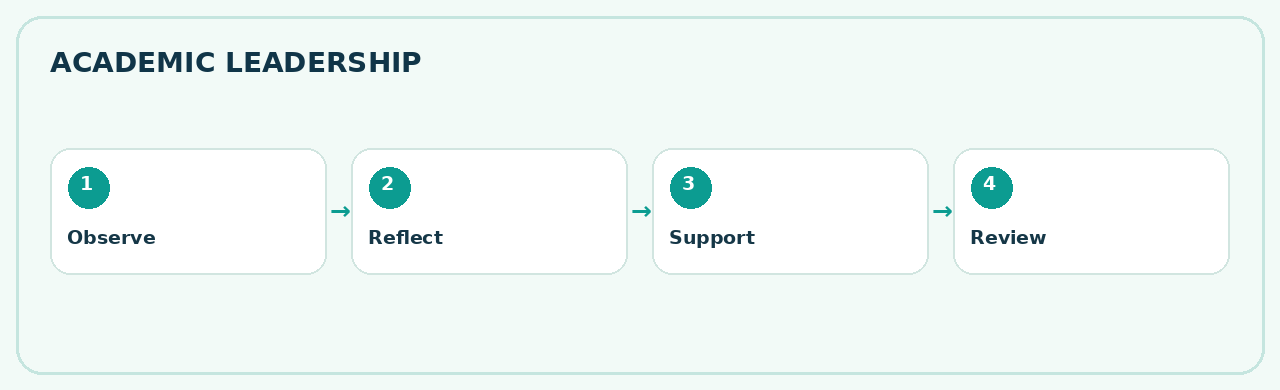
AI can support academic planning, supportive classroom observation, staff development and clear school communication. Professional decisions remain human-led.
Academic planning
Term plans and review agendas
Classroom observation
Clear, supportive rubrics
Teacher development
Mentoring and action plans
Assessment coordination
Moderation and review templates
Observe→Reflect→Support→Review
Academic leadership prompt
Act as an academic coordinator in an Indian school. Create a supportive four-level classroom observation rubric covering lesson preparation, explanation clarity, engagement, differentiation and formative assessment. Add a constructive feedback template and a four-week teacher development plan. Do not invent teacher performance data.
Responsible AI is good teaching
Use AI with curiosity, care and professional judgment. AI can sound confident even when it is wrong.
✓ Factually accurate?✓ Syllabus aligned?✓ Age appropriate?✓ Answer key correct?✓ Sources verified?✓ Private data removed?✓ School approved?✓ Human reviewed?
Protect learners and colleagues
Do not upload identifiable student records, medical details, confidential staff evaluations or private school documents into unapproved services. Use fictional or anonymized examples during training.
Your next 7 days with AI
Build confidence through small, useful actions.
For academic leaders
Choose one pilot: department planning, an observation rubric, a development template or responsible AI guidelines. Review it with your team before expanding.
✦
Great teachers shape the future. AI can help them do it with greater confidence.
Keep experimenting. Keep questioning. Keep learning.
Visit Lumio Learning ↗RECOGNISE YOUR LEARNING
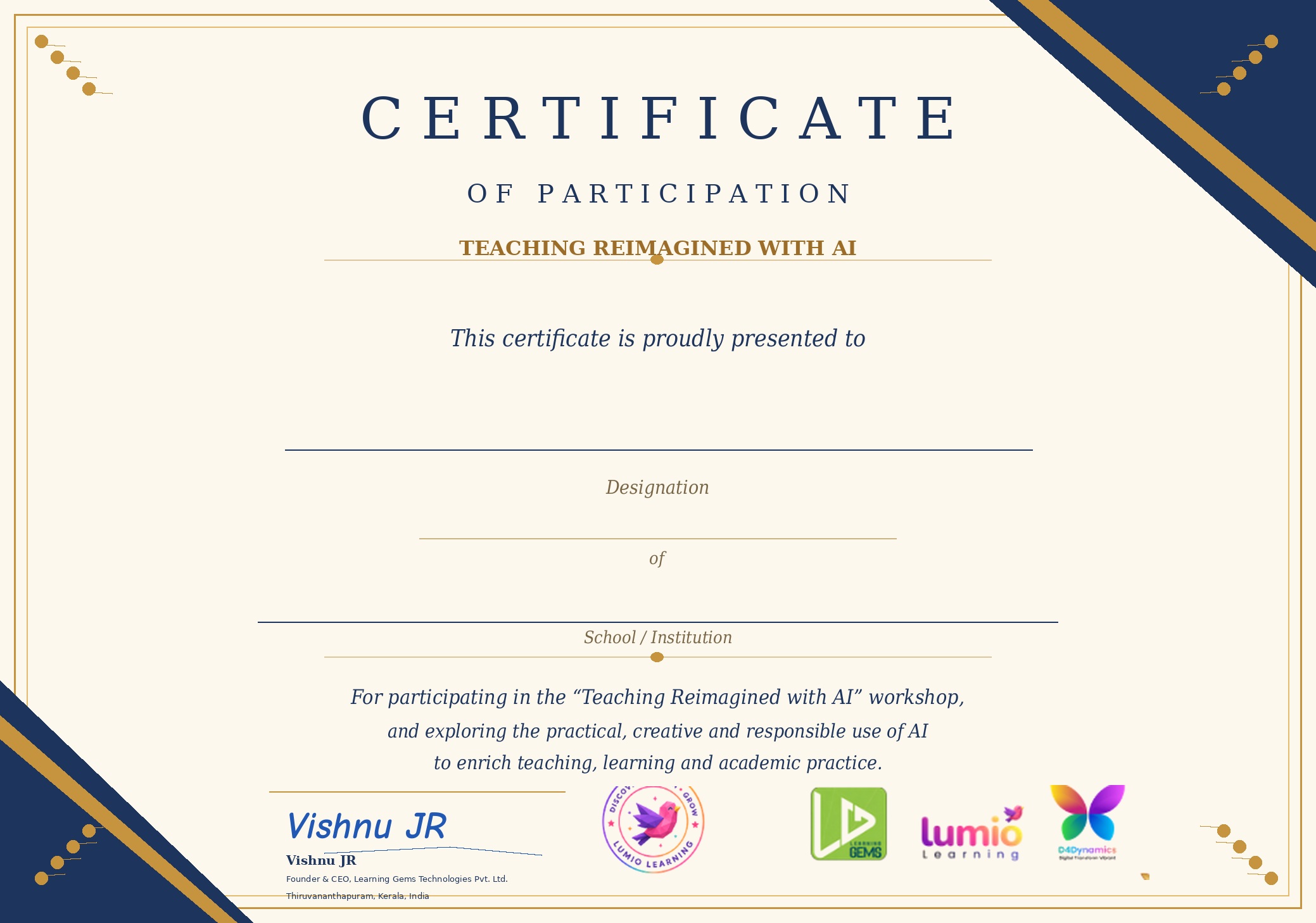
Your personalised participation certificate
After attending the workshop and completing your feedback, download a certificate containing your registered name, institution and designation.
Certificate includes your registered name, designation and school name, with a blue demo signature-style rendering of Vishnu JR · CEO, Lumio Learning LLP.
Log in to see certificate eligibility.